
MinoFTP
A fast, native FTP client for macOS. Your Mac on the left, your server on the right — move files with a drag, and keep working when the connection drops.
- Requires macOS 13 Ventura or later
- Apple silicon and Intel
- English, Simplified & Traditional Chinese
- No ads, ever
Everything you need to move files
Two panes, a transfer queue, and a protocol log — the parts of an FTP client you actually use, without the clutter.
Built around the way you work
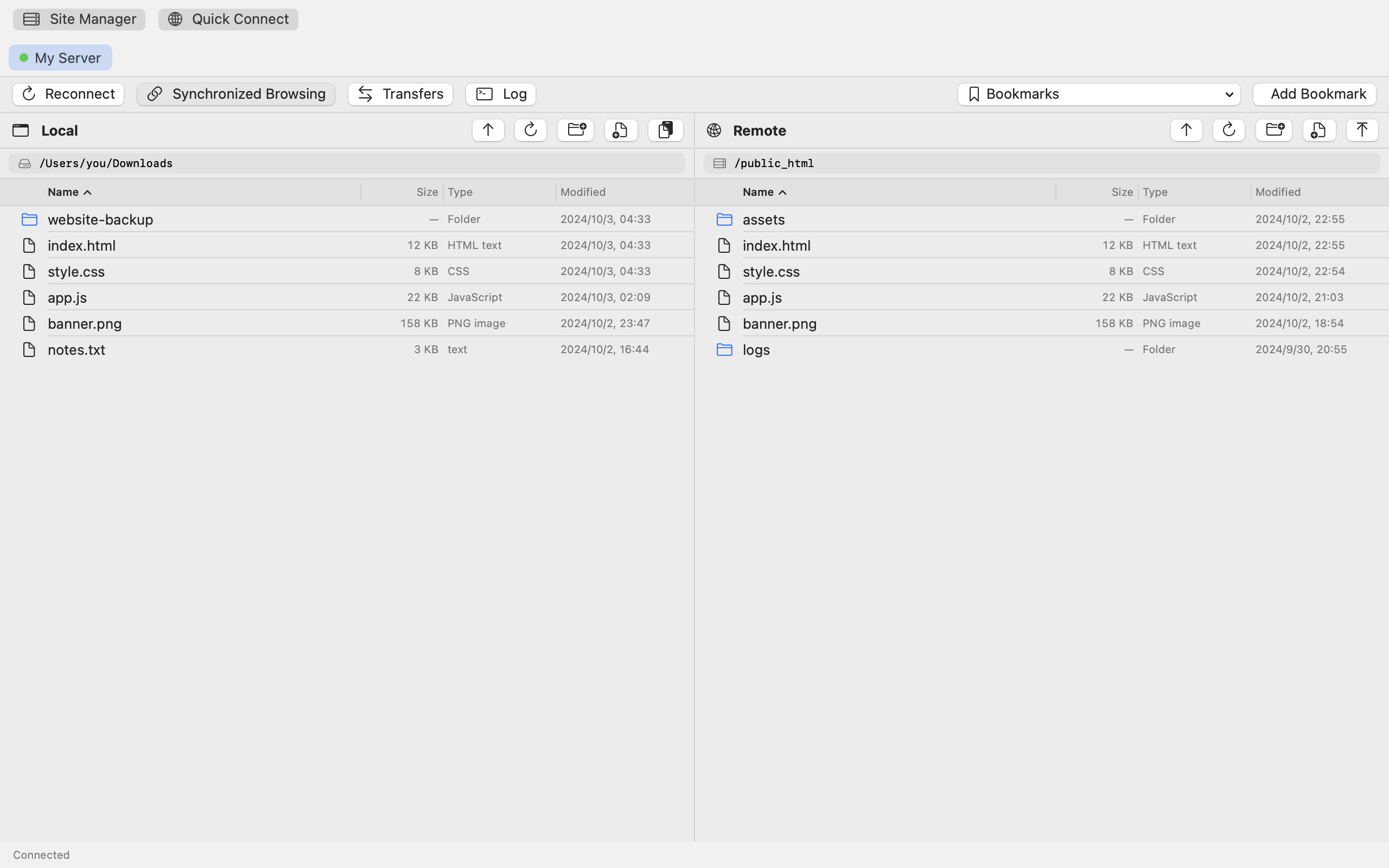
Local and remote, side by side
Your Mac's files on the left, the server's on the right. Drag in either direction to upload or download — no separate transfer screen.
Synchronized browsing
Keep both panes in step. Step into a folder on one side and MinoFTP opens the matching folder on the other.
One tab per server
Every connection gets its own tab, so you can keep two hosts open at once and switch between them instantly.
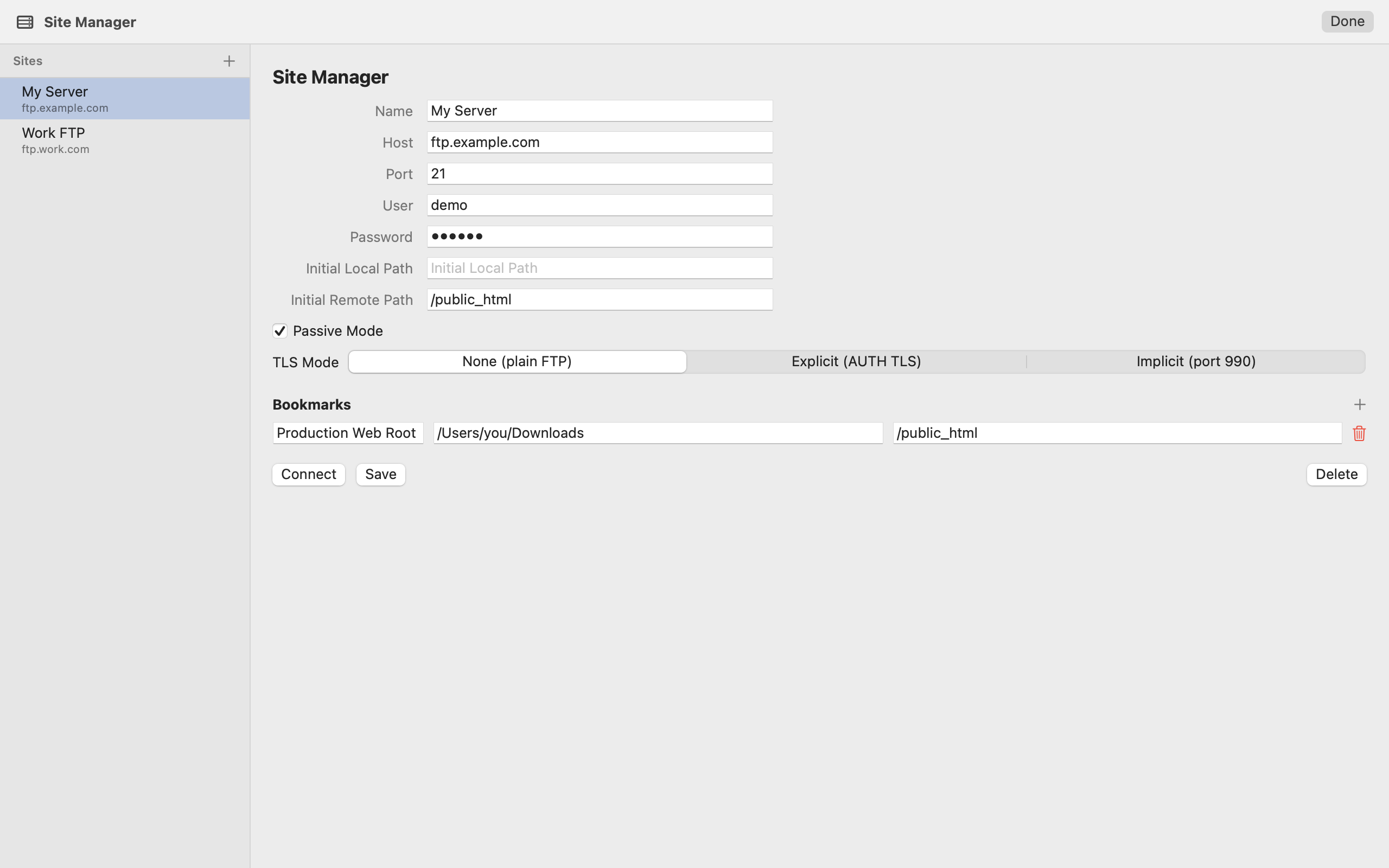
Sites and bookmarks
Save the host, port, credentials and starting folders once. Bookmarks jump straight to the folders you use most — local and remote.
FTP and FTPS (TLS)
Standard FTP, plus explicit (AUTH TLS) and implicit (port 990) FTPS. Active and passive modes can be switched per site.
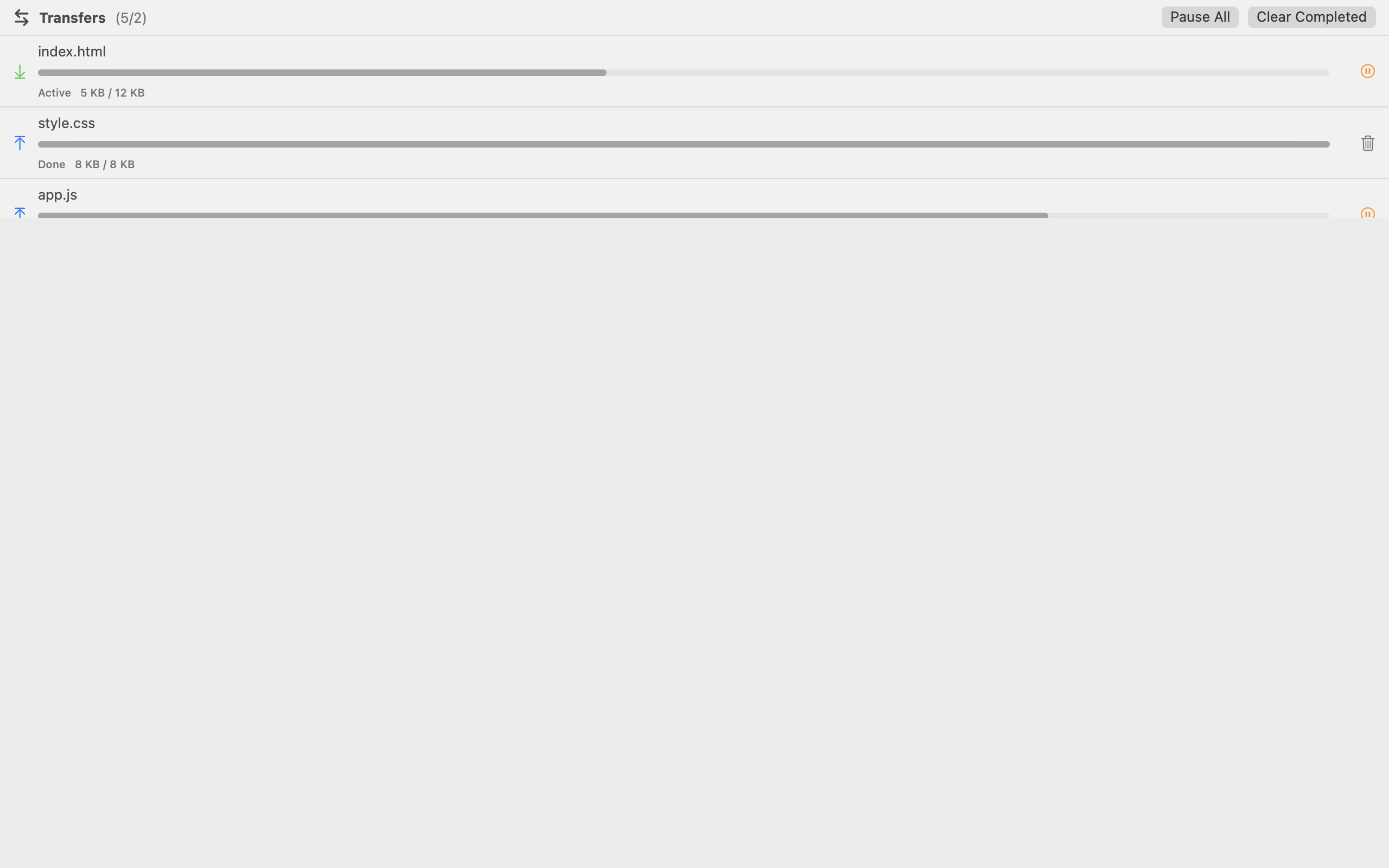
A transfer queue that behaves
Uploads and downloads with progress, speed and status. Pause and resume individual transfers, or pause the whole queue in one go.
Reconnects that keep your place
A heartbeat watches the session. If the connection drops, MinoFTP reconnects and returns you to the local and remote folders you were working in.
Feels like a Mac app
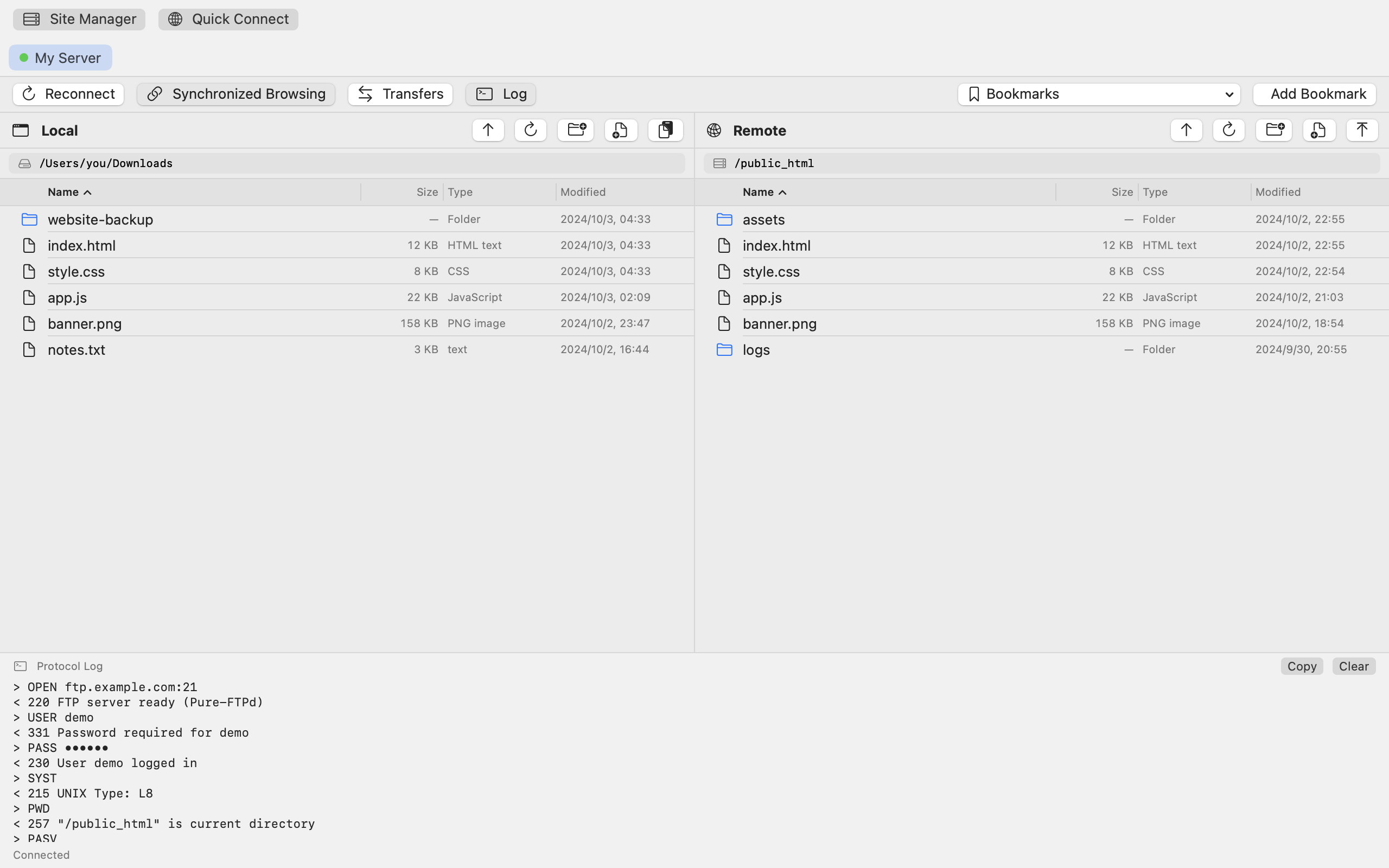
Native SwiftUI, dark and light appearance, Finder-style context menus, rename in place, new folders, file info, and a live protocol log.
Requirements
| System | macOS 13 Ventura or later (13.0+) |
|---|---|
| Hardware | Any Mac with Apple silicon or an Intel processor |
| Protocols | FTP and FTPS (FTP over TLS). SFTP and SSH are not supported. |
| Languages | English, Simplified Chinese, Traditional Chinese |
| Server | You connect to your own FTP server — MinoFTP does not include hosting. |
Questions, or something not working?
Email us and we'll get back to you. Including your macOS version and a copy of the connection log makes most problems quick to solve.